 Folderloom by Knoveya
FOLDERLOOM · CHATGPT PROJECTS VS FOLDERS
ChatGPT Projects vs Folders: When Each Helps
ChatGPT Projects and Folderloom folders solve related organization problems at different layers. Choose based on the context you need.
Use ChatGPT Projects for native context
Projects are useful when a workspace needs provider-native instructions, files and conversations. They keep that context close to the ChatGPT work itself.
A Project is a good fit when the main question is: what instructions and files should ChatGPT use for this work?
Use folders for a broader organization layer
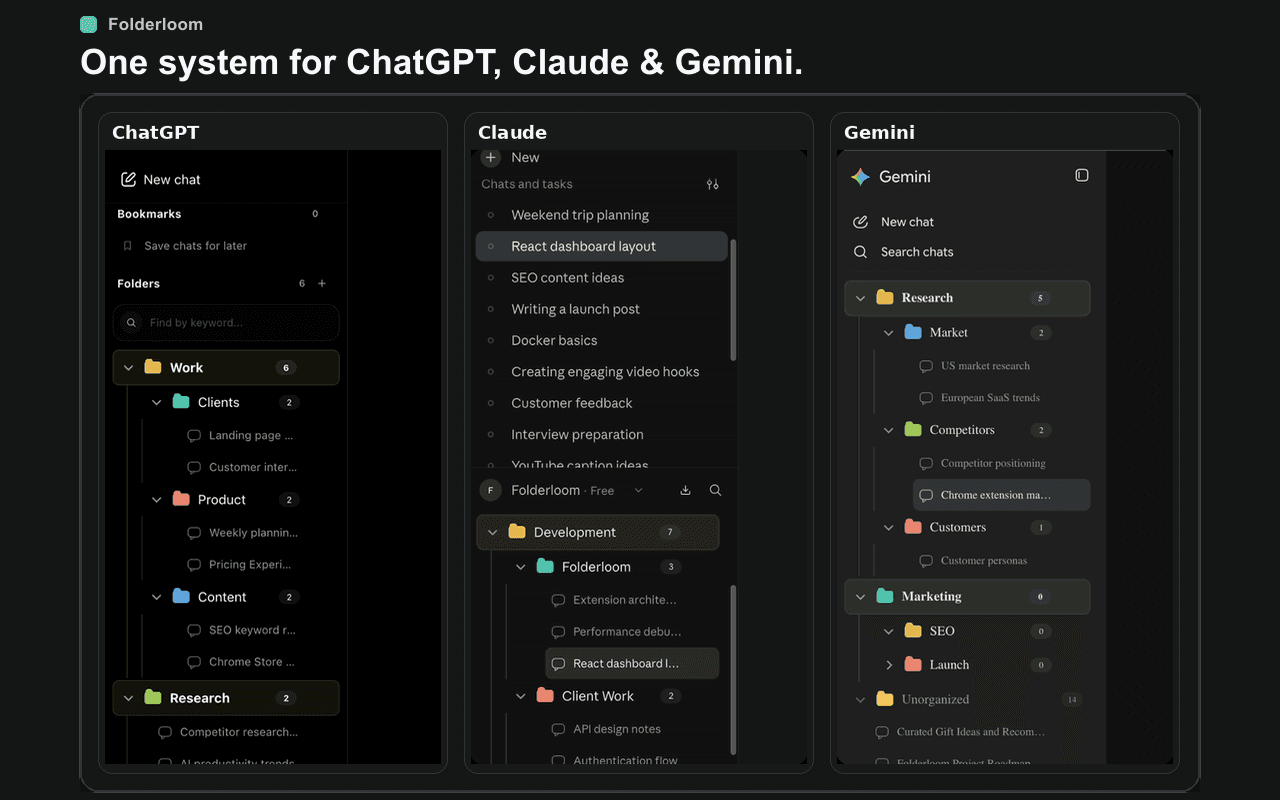
Folderloom folders organize visible chats with nested structure, bookmarks, drag and drop and local title search. They are useful when the main question is: where should I find this conversation again?
Folderloom works across ChatGPT, Claude and Gemini, while each provider keeps its own native context and history.
A practical comparison
Projects offer deeper ChatGPT integration. Folders offer a lightweight tree and a consistent organization habit across AI tools. They can complement each other rather than compete: use Projects for context and folders for retrieval.
Do not confuse local-first with offline AI
Folderloom stores its folder structure, bookmarks and chat references locally. ChatGPT still provides the conversation itself and needs its normal service access. The extension does not make Projects portable, back up uploaded files or give another AI access to a Project's context.
No Folderloom account is needed for current organization features. This is separate from the account you use with ChatGPT. Choose based on the task and storage boundaries, not a claim that either approach replaces the other.
Try a small organization routine
- Ask whether the work needs shared instructions or files inside ChatGPT. If so, start with a native Project.
- Ask whether the main difficulty is retrieving existing conversations across a growing history. Try a small Folderloom tree and a few bookmarks.
- Keep a ChatGPT Project for a client brief and use the same client name for organization in Claude or Gemini. These remain separate provider workspaces.
- Avoid duplicating every native label in the extension. Keep only the folder structure that actually helps you find a conversation.
Compare the two approaches
| Need | ChatGPT Projects | Folderloom folders |
|---|---|---|
| Project context | Native files and instructions for ChatGPT | Organization metadata only; does not supply model context |
| Nested structure | A project groups its chats and resources | A nested folder tree for sidebar conversations |
| Retrieval | Native chat search, including project chats | Local folder-name and chat-title search; bookmarks |
| Across AI providers | Within ChatGPT | ChatGPT, Claude and Gemini, with separate organization per AI |
| Setup | Native ChatGPT feature | Chrome extension; no Folderloom account for organization |
For native Projects capabilities, see OpenAI's Projects documentation (checked September 27, 2026). Provider features can change independently of Folderloom.