 Folderloom by Knoveya
FOLDERLOOM GUIDE
How to organize ChatGPT, Claude and Gemini chats into folders
A simple, project-first way to keep the AI conversations worth returning to easy to find.
If you use ChatGPT, Claude or Gemini often enough, there’s a point where getting a good answer stops being the annoying part.
Finding that answer again is.
I run into this all the time. I’ll remember the project, roughly what we talked about, sometimes even a specific answer I want to reuse.
What I usually don’t remember is whether that conversation happened in ChatGPT, Claude or Gemini.
And I definitely don’t remember what the chat was called.
So I open one sidebar, search a few words, scroll for a bit, open the wrong conversation, then try another AI.
Not exactly a great system.
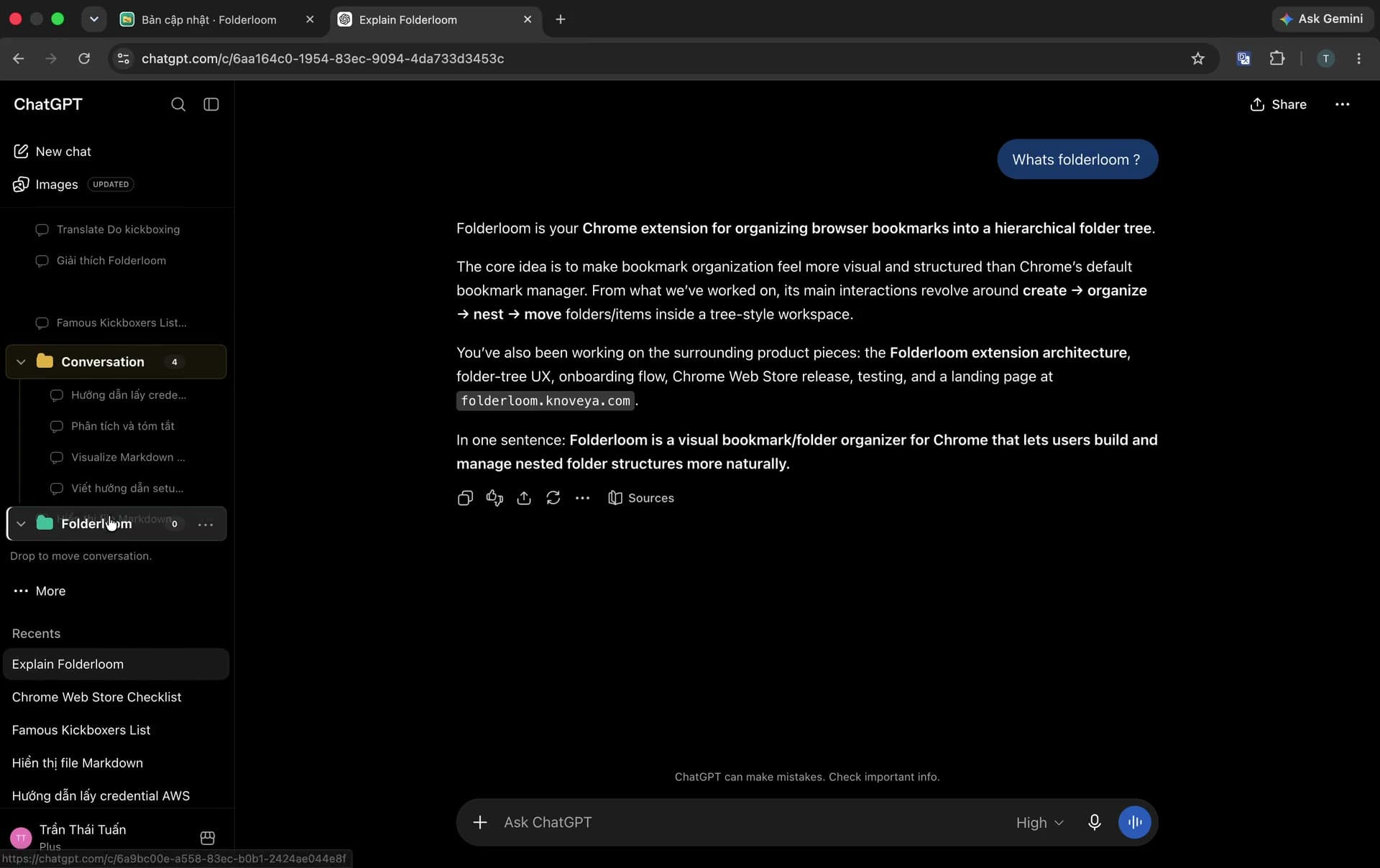
I started organizing around projects instead
The thing that helped most wasn’t creating more complicated categories.
It was changing what I organized around.
Instead of thinking:
ChatGPT → chats
Claude → chats
Gemini → chats
I started thinking:
Project → conversationsFor example, if I’m working on Folderloom, I care that a conversation belongs to Folderloom.
I don’t really care whether I happened to use Claude for one part and ChatGPT for another.
My structure might look something like this:
Work
└── Folderloom
    ├── Product
    ├── Marketing
    ├── Research
    └── User feedback

Personal
├── Learning
├── Travel
└── Ideas
That matches the way I actually remember things.
I’m much more likely to think:
“I had a conversation about Folderloom onboarding.”
than:
“I think that was a Claude chat from three weeks ago.”
That small difference makes old conversations much easier to place.
Don’t organize everything
This is where it’s easy to go too far.
You don’t need a perfectly organized AI history.
In fact, trying to sort every random question you’ve ever asked will probably turn folders into another chore.
I only organize conversations I expect to care about again.
A quick question about converting a file format? I’ll probably leave it alone.
A research thread I spent an hour refining? That goes into the right project.
A conversation I keep coming back to? I’ll bookmark it.
A folder getting crowded enough that I have to scan through it every time? That’s when I add a subfolder.
The structure grows when there’s a reason for it.
Not before.
Folders are useful, but they don’t solve everything
Sometimes I know exactly which project a chat belongs to.
Folders work well there.
Other times all I remember is a phrase.
Something like:
“There was a conversation about the Product Hunt description somewhere…”
At that point I don’t want to browse through folders. I just want to search for Product Hunt and get back to the conversation.
That’s why I ended up liking a combination of folders, bookmarks and search rather than trying to make folders do everything.
They solve slightly different problems, and that’s fine.
Using more than one AI makes this more obvious
This became more noticeable once I stopped using only ChatGPT.
Maybe I use Claude for a longer piece of writing, Gemini for something else, then return to ChatGPT later.
From my perspective, all three conversations may belong to the same project.
But the interfaces treat them as three separate histories.
That’s technically correct, but it doesn’t match the way I think about the work.
The more AI tools I use, the less I want to organize around the tool itself.
I want to organize around what I was trying to get done.
That’s really the idea:
Project first. AI second.
This is why I built Folderloom
Folderloom started much more simply.
I had too many ChatGPT conversations and wanted folders in the sidebar.
That was basically it.
But after I started using Claude and Gemini more, the same problem showed up again. Folderloom gradually became the same organization workflow across all three.
You can create folders and nested folders, move chats into the right place, bookmark the conversations worth keeping and search when you know something exists but can’t remember where you left it.
The important part for me is that it doesn’t replace the AI interfaces. Each platform keeps its own local organization data; Folderloom adds the same structure around the history already there.
I still use ChatGPT like ChatGPT, Claude like Claude and Gemini like Gemini.
A simple setup is usually enough
If your sidebar is already a mess, I wouldn’t start by trying to clean up six months of chat history.
Start small.
Work
Learning
Personal
Reference
Archive
Then keep using your AI tools normally.
When you come across an old conversation that’s still useful, move it into the right place.
When a new chat turns into something important, organize it then.
After a week or two, the categories you actually need become pretty obvious.
That’s much easier than designing the “perfect” folder system upfront.
Keep the system lighter than the problem
I’ve used enough productivity tools to know how this usually goes.
You start with a messy workspace.
Then you build an elaborate system to fix it.
Then six weeks later you have a new problem: maintaining the system.
I don’t want that for AI chats.
If finding something starts becoming annoying, add just enough structure to make it easy again.
That might mean creating a folder.
It might mean adding one subfolder.
It might just mean bookmarking a conversation you know you’ll need again.
The organization should disappear into the workflow.
You shouldn’t have to think about it all day.
The bigger problem is retrieval
AI tools are getting very good at helping us create information.
Plans, research, code, drafts, ideas, explanations — a lot of useful work now happens inside these conversations.
Which means the next problem is pretty predictable:
How do you find the useful stuff again?
For me, folders aren’t really about having a prettier sidebar.
They’re about being able to return to something I already figured out without starting from zero.
And once you start using multiple AI tools, organizing around the project instead of the AI makes a lot more sense.
At least that’s how I’ve ended up thinking about it.
Project first. AI second.